The Zoom social etiquette guide


 Getty Images
From online parties to happy hour with colleagues, here are the coronavirus-era social faux pas to avoid.
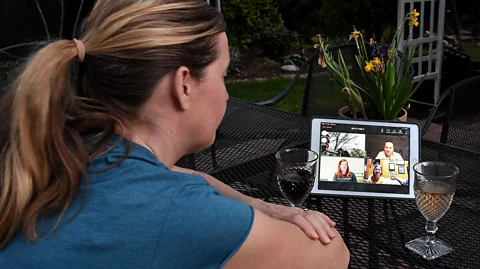
It’s Saturday night, your cocktails are ready and you’re about to throw a party with a couple dozen friends. It’s also your seventh straight week in mandatory lockdown amid the Covid-19 pandemic.
That means you’re throwing the party virtually on Zoom – and it’s going great until you realise people keep talking over each other, others feel ignored and start scrolling on their phones, half the guests don’t know each other and the other half have loud housemates clanging dishes in the background.
Video chat is now the go-to outlet for many social distancers craving social interaction. But having a successful fête isn’t only a question of hopping on camera with friends and kicking off. Social grace is a big part of a successful virtual party – and etiquette doesn’t go out the door just because you’re in your pyjamas in front of a webcam.
Introduce everyone; ignore no one
The most noticeable difference between in-person socialising and the video calls we’ve had to rapidly adjust to overnight? Just how jarring the whole transition is.
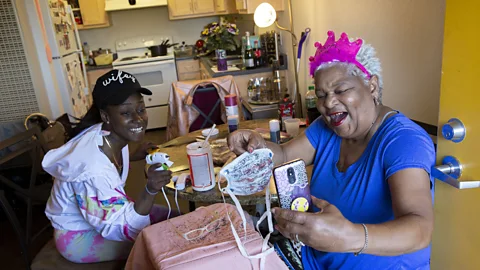
Gone are the days during which you can mingle or bounce between different groups, or introduce yourself to new people at your leisure. Instead, the second you click ‘Join Meeting’, you’re abruptly thrust in front of potentially dozens of faces staring straight at you, Brady Bunch-style.
"A lot of times [in person], you will float between one table or booth to the next and talk to one or two people at a time,” says Carla Bevins, a professor at Carnegie Mellon University in the US city of Pittsburgh, who specialises in business communication. “All of a sudden, it flattens out when you’re on a Zoom happy hour. You have your Zoom-tinis going, and everybody’s looking at you all at once. It’s a whole different dynamic.”
 Getty Images
This is particularly problematic if not everyone on the call knows each other – Zoom itself recommends short ice-breaking sessions for everyone to introduce themselves on so-called “mega meetings” of 20 people or more. Which leads to something that’s social etiquette 101: be sure to introduce everyone individually to the group.
Luckily, Zoom makes it easy for you to do this each time someone new joins the event.
“I like to utilise the wait room,” says Tamiko Zablith, founder and principal consultant of Minding Manners International, a division of the International Etiquette and Protocol Academy of London. “For security reasons, first of all – it means outsiders don’t come crashing into your meeting.” (Which is good, considering the recent scrutiny over security issues on Zoom.) But also, “you can let people come in one at a time, and then you can take that time to introduce them to the group as well. One of the faux pas I find is that a lot of people are not doing that: you end up having 45 people on a call and you have no idea who row 3, square 7 is, because they haven’t been properly introduced”.
“As each person pops on, I will name them,” says Bevins. “’Hi Bryan, it’s good see you. How are things going?”
And, host or not, be sure to give personal attention when it’s time to leave, too.
“Take as much time when you leave a group as you did when you joined the group. Just don’t say, ‘Oh, I’m out now’ and click ‘End Meeting’,” says Zablith. “Take a minute to say: ‘Jennifer, John’ – so I’m finding John on the screen – ‘John, it’s been really nice chatting with you. Robert, down there – really great to have met you’. That way you leave them feeling recognised, but it makes you look a bit more distinguished as well.”
Learn the art of the pause
Another wildly disorienting thing about Zoom parties: everyone has to talk one at a time. There’s no chance for small groups to organically form, for ambient banter to fill a room, or for guests to talk simultaneously and asynchronously. The whole group, no matter how large, can only listen to one person at a time.
Be aware of this and be comfortable with it. “It’s okay to have those quiet spaces,” says Bevins. “Other [guests] may just sit and listen for a while. It’s a whole different dynamic from everybody being ‘on’.”
That’s why putting pauses in your speech is critical, especially since lagging internet speeds or weird audio may mean it’s easy for someone to talk over someone else, drowning out what they have to say to the group.
“If the internet is a bit dodgy, you have those intermittent signals. If I keep rambling, and the other person starts, there’s that delay,” says Zablith. “Work those pauses into your conversation."
If you find yourself in a politeness contest with someone who’s speaking at the same time as you – “no, you go ahead” – try using Zoom’s “raise hand” function, or try using that side chat again.
“If you start talking over someone and it gets into a politeness war, put a note in the chat that the other person can go ahead with their ideas,” says Bevins. “You can then write your idea in the chat, so your train of thought is not lost. The moderator can come back to your point and ensure that your ideas are heard.”
 Getty Images
Take conversations to the side
At parties in real life, you may be someone’s plus one and you might not know the vast majority of people at the party – and you definitely won’t know all the awkward nuances, like who recently broke up with whom, or which topics are taboo. Ideally, your companion would fill you in ahead of time, or they’d whisper it to you the next time you made a break for the snack table. You can’t have those quick side-confabs online.
Or can you? In these delicate intel-gathering social scenarios, Zoom could be a boon: it has that text chat feature where you can send a direct message to the host or one of your friends. Telepathy unfortunately does not exist, so the chat tool comes in as a handy option if you have something private to say. (Just quadruple or even quintuple-check you’re sending a private message and not one to the whole party.)
“Use the chat and chat with each other on the side. ‘Hey, it’s so good to see you. I saw you had your friends on, too. Who are they, what do I need to know, are there topics that are off limits?’” Bevins says. “Have that side conversation through the technology.”
Know when to change backgrounds
We all know Zoom’s backgrounds that make you seem like you’re in outer space or floating above the Golden Gate Bridge. Instead of just adding some goofy flair to a Zoom party, it can actually be a courtesy to eliminate distractions behind you.
Hiding those dirty dishes or pizza boxes, or obscuring other members of the household coming and going, eliminates distractions and makes the other people feel like they’re getting your full attention. That even applies to chat etiquette in a work context: these frivolous-seeming add-ons can actually be part of being polite as long as they’re not wacky.
“Wouldn’t it be better if that distraction just wasn’t there?” Zablith says, pointing to the advantage of virtual backgrounds being able to hide anything unsightly behind you. For Bevins, virtual backgrounds can also provide a sense of comfort or normalcy to the audience – she uses images of the Carnegie Mellon campus when she’s on a call with her students, even though the university has been shut down due to the pandemic.
Practice punctuality
It’s good practice, of course – your friends get annoyed when you’re late for a movie in person, and the same applies on Zoom. But it applies to social settings, too. To avoid being late (even if you’re at your computer on time), take a few minutes ahead of the call or party (especially if you’re the host) to test your settings and re-check your internet.
 Getty Images
Plus, in the age of Covid-19, many people often have several back-to-back social calls with close family members or friends flung miles and miles apart from each other across time zones and potentially continents. So, it’s absolutely crucial to be extra considerate of the time of others – be it your BFF or your boss.
“We are on so many more Zoom calls right now,” says Bevins. “We have to respect our time.”
More tricks of the trade
All the other social basics apply as much online as they do offline. For example, Zablith describes the “tennis match rule”, in which you make sure you keep returning the “tennis ball” of conversation back to the other person regularly. Also, don’t forget other crucial pieces of how to look good on Zoom: give yourself lots of flattering, head-on natural lighting, and make sure your webcam is eye level or higher.
Remember, even with all of the technology available to us to stay social in unprecedented isolation, it’s still easy to feel overwhelmed and despondent. But if you remember to be respectful, polite and inclusive on video calls, no matter how casual the setting, you’ll really get the most out of these valuable social interactions in the era of a pandemic.
“If you can collect that good energy, and save it for later – because, let’s face it, we’re going to have good days and we’re going to have not so good days” as we navigate life in the pandemic, Bevins says. It could make all the difference. “You hold that positive feeling, energy, whatever you want to call it, so when you’re not feeling so hot – that can help.”
