You now have the option of switching the entire interface of the BBC Sounds app from dark text on a light background to light text on a dark background.
How do I switch to dark mode?
- Tap on My Sounds at the bottom of the app
- Tap on the settings cog in the top right corner
- Tap Dark Mode
- Toggle between Light or Dark
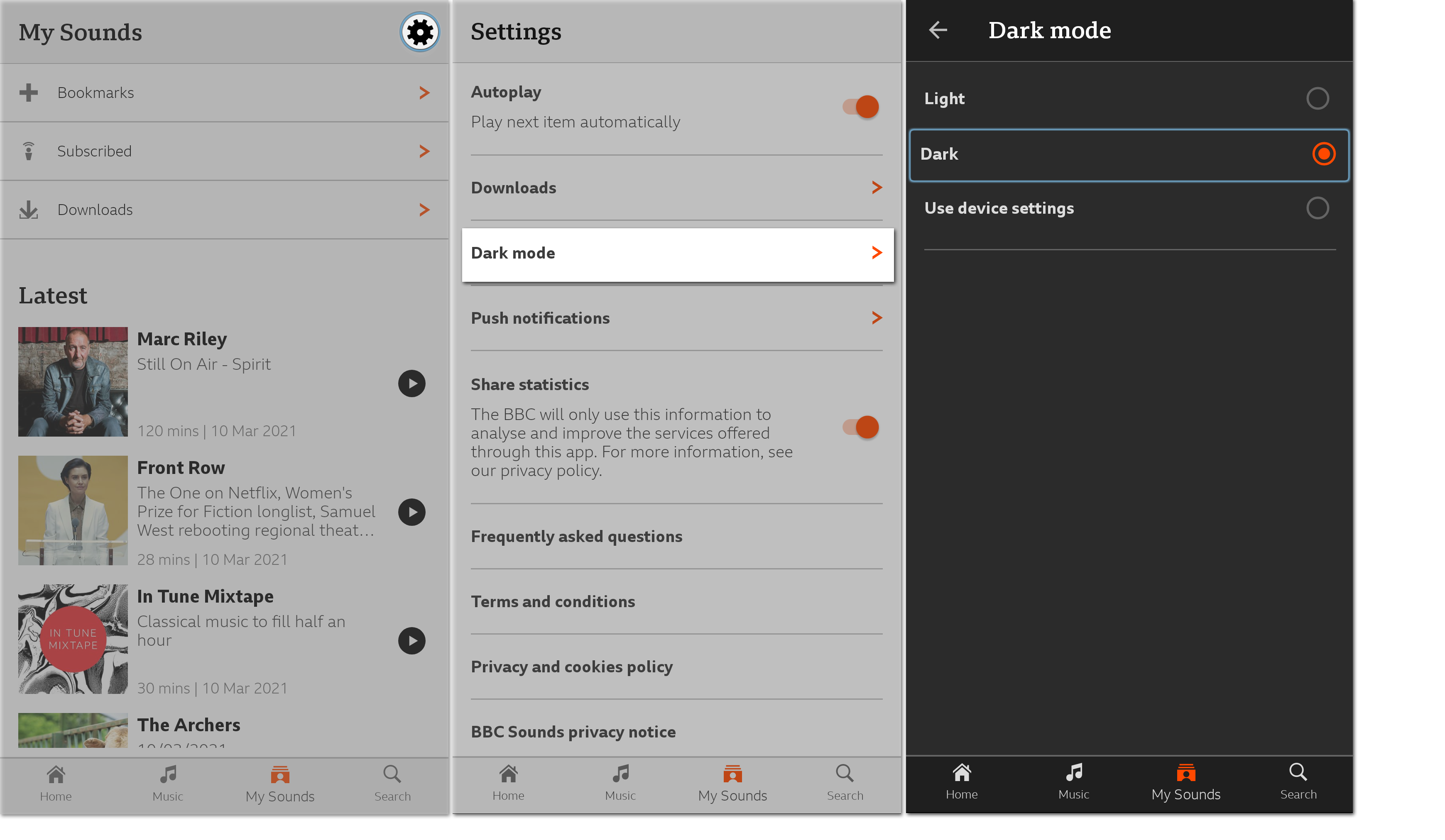 Some devices will also have a Use device settings option which means BBC Sounds will automatically copy your device's light mode/dark mode settings.
Can't see the dark mode option on your BBC Sounds app? Make sure the app is up to date. Head to your app store, search "BBC Sounds" and tap Update.
